Xpressory
LED Computer Monitor Screen Hanging Light Bar
LED Computer Monitor Screen Hanging Light Bar
Couldn't load pickup availability
Size and Dimensions
Light Bar Length: 40 Centimeters
Clip Mount Height: 8 Centimeters
Clip Mount Depth: 5 Centimeters
USB Cable Length: 1.5 Meters
Full Material and Technical Specifications
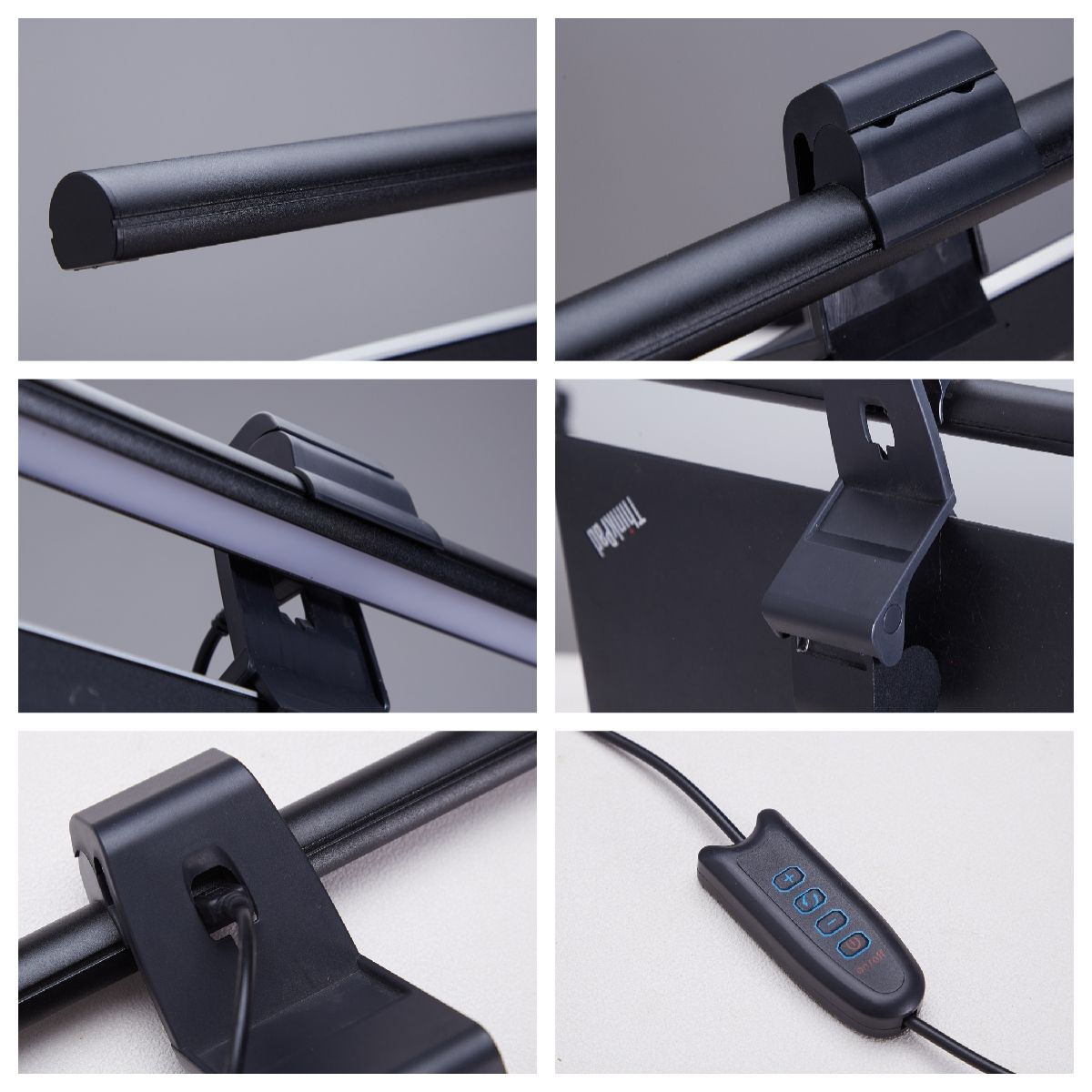
Housing Material: Lightweight aluminum alloy and premium polycarbonate casing
Clip Mount Material: Heavy-duty ABS plastic reinforced with non-slip silicone padding
Light Source Type: High-density, asymmetric SMD LED light beads
Power Supply: DC 5V 1A power input via Type-C USB port
Rated Power Output: 5 Watts maximum
Color Temperature Range: Adjustable from 3000K warm light to 6500K cool white light
Dimming Type: Stepless touch-sensitive brightness and color temperature adjustment control
Product Benefits
Asymmetric optical design only illuminates the desk surface and keyboard area while completely eliminating screen glare and reflective wash.
Space-saving hanging structure mounts securely directly onto the top of the monitor frame to free up valuable desktop work space.
Built-in intelligent memory chip automatically restores the last used brightness level and color temperature setting when powered back on.
Weighted gravity pivot clip adjusts effortlessly to fit a wide range of flat and curved monitor thicknesses without causing screen bezel damage.
Dual touch-control sensors on the outer edges provide fast, independent management of light intensity and color warmth with a simple tap.
How To Use
Open the weighted gravity clip mechanism and place the mounting unit firmly over the top center edge of your computer monitor frame.
Ensure the front retaining lip rests gently against the outer display bezel and let the heavy rear counterweight settle securely against the back of the monitor.
Insert the provided Type-C connector cable into the rear power port of the light bar and connect the opposite USB end into a live laptop port, monitor hub, or 5V wall adapter.
Tap the right-side touch sensor icon briefly to turn the light bar on or off, and hold your finger on the sensor to smoothly adjust the overall brightness levels.
Tap the left-side touch sensor icon to cycle through the available preset color temperatures from cool daylight for focusing to warm ambient light for evening comfort.
Share