Xpressory
STN Wireless Cat Ear LED Gaming Headset
STN Wireless Cat Ear LED Gaming Headset
Couldn't load pickup availability
Product Description
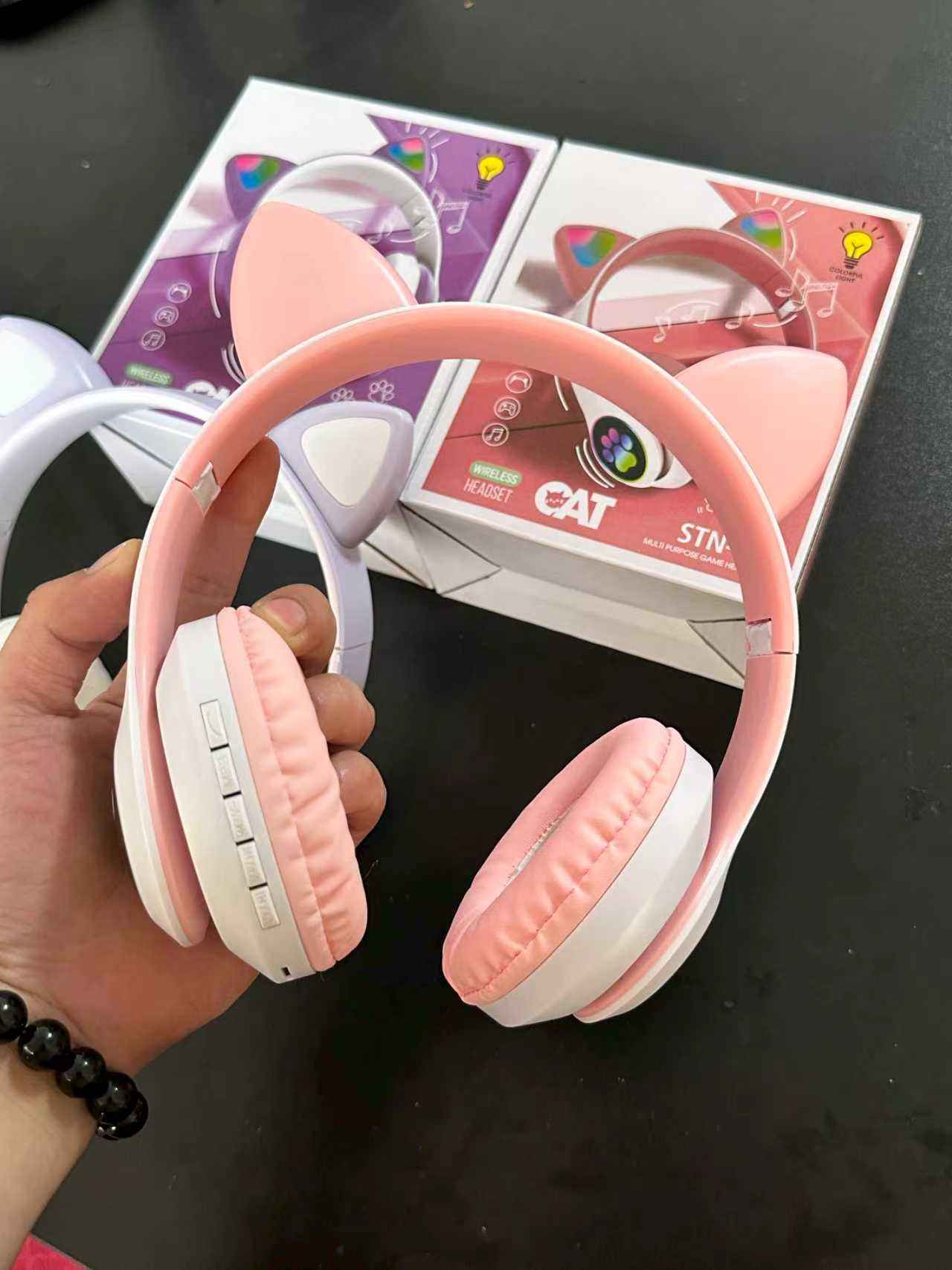
This stylish wireless headset is designed to provide high-quality audio combined with a playful, modern aesthetic. As shown in the headset features unique cat ears mounted on the headband and integrated glowing cat paw prints on the earcups. Both the ears and the paw prints are embedded with colorful RGB LED lights that flash and change color while in use. Equipped with advanced Bluetooth connectivity, a built-in microphone, physical control buttons, and a foldable structure, this multipurpose headset is perfect for gaming, online classes, music listening, and livestreaming.
Size and Technical Dimensions
Speaker Driver Diameter: 40 mm high-fidelity dome drivers.
Adjustable Headband Size: Extendable sliding arm system to fit children, teenagers, and adults comfortably.
Foldable Dimensions: Approximately 18 cm by 15 cm by 7 cm when completely collapsed for travel.
Bluetooth Range: Stable wireless transmission up to 33 feet (10 meters) in open space.
Material Composition and Ingredients
Outer Casing and Headband: Impact-resistant, lightweight premium ABS and polycarbonate (PC) thermoplastic.
Ear Cushions and Headband Padding: Breathable, high-density memory foam wrapped in soft, skin-friendly protein PU synthetic leather.
Internal Battery Source: Rechargeable built-in 400mAh lithium polymer battery core.
Audio Core Components: Copper-clad aluminum wire voice coils alongside premium neodymium magnets.
Electronic Circuitry: Integrated Bluetooth 5.0 mainboard chip paired with a silicone omnidirectional microphone.
Technical Specifications
Connectivity Modes: Dual-mode system supporting wireless Bluetooth connection and wired 3.5 mm AUX audio cable override.
Storage Expansion: Features an integrated Micro SD / TF card slot layout supporting direct MP3 playback without any connected device.
Charging Interface: Standard 5V Micro USB or Type-C charging port.
Battery Performance: Provides up to 6 hours of continuous use with LED lights turned on, and up to 12 hours with LED lights turned off.
Charging Time: Approximately 2 to 2.5 hours for a complete full charge cycle.
Product Benefits
Eye-Catching RGB Light Display: Vibrant gradient color shifting lights on the cat ears and earcups deliver a fun, customizable look for content creation and casual gaming.
Foldable and Highly Portable: The convenient folding joint design makes it incredibly easy to pack into school bags, backpacks, or luggage without occupying excessive space.
Immersive Audio Quality: Large 40 mm speakers deliver deep bass, clear mid-tones, and crisp treble, providing an excellent acoustic experience for music and gaming.
Padded Long-Wear Comfort: Ultra-soft protein leather ear cushions isolate external ambient noise while preventing pressure or ear strain during prolonged use.
Versatile Compatibility: Works seamlessly across smartphones, tablets, laptops, personal computers, gaming consoles, and smart televisions via wireless or wired setups.
How to Use
Step 1: Charge the headset completely using the included USB cable before first-time use until the indicator light changes color to signify a full charge.
Step 2: Press and hold the power button located on the edge of the earcup for 3 seconds to turn on the headset; you will hear a voice prompt, and the LED lights will illuminate.
Step 3: Open the Bluetooth settings menu on your smartphone or device, scan for nearby devices, select the cat ear headset name, and pair them together.
Step 4: Place the headset over your ears and adjust the sliding metal headband arms until the ear cushions fit squarely and comfortably over your ears.
Step 5: Use the physical buttons on the side panel to easily adjust volume levels, skip musical tracks, play or pause media, or answer incoming phone calls.
Step 6: To switch off the device, press and hold the power button again for 3 seconds until the indicator lights turn off completely.
Share